SES PeregrinoSES Peregrino
For hospitaleros

Less paperwork. More hospitality.

Royal Decree 933/2021 requires you to collect sensitive guest data. GDPR can fine you if it's mishandled. SES Peregrino solves both — full compliance, real privacy, zero risk. Free.
Why hospitaleros choose SES Peregrino

Compliance without the headache

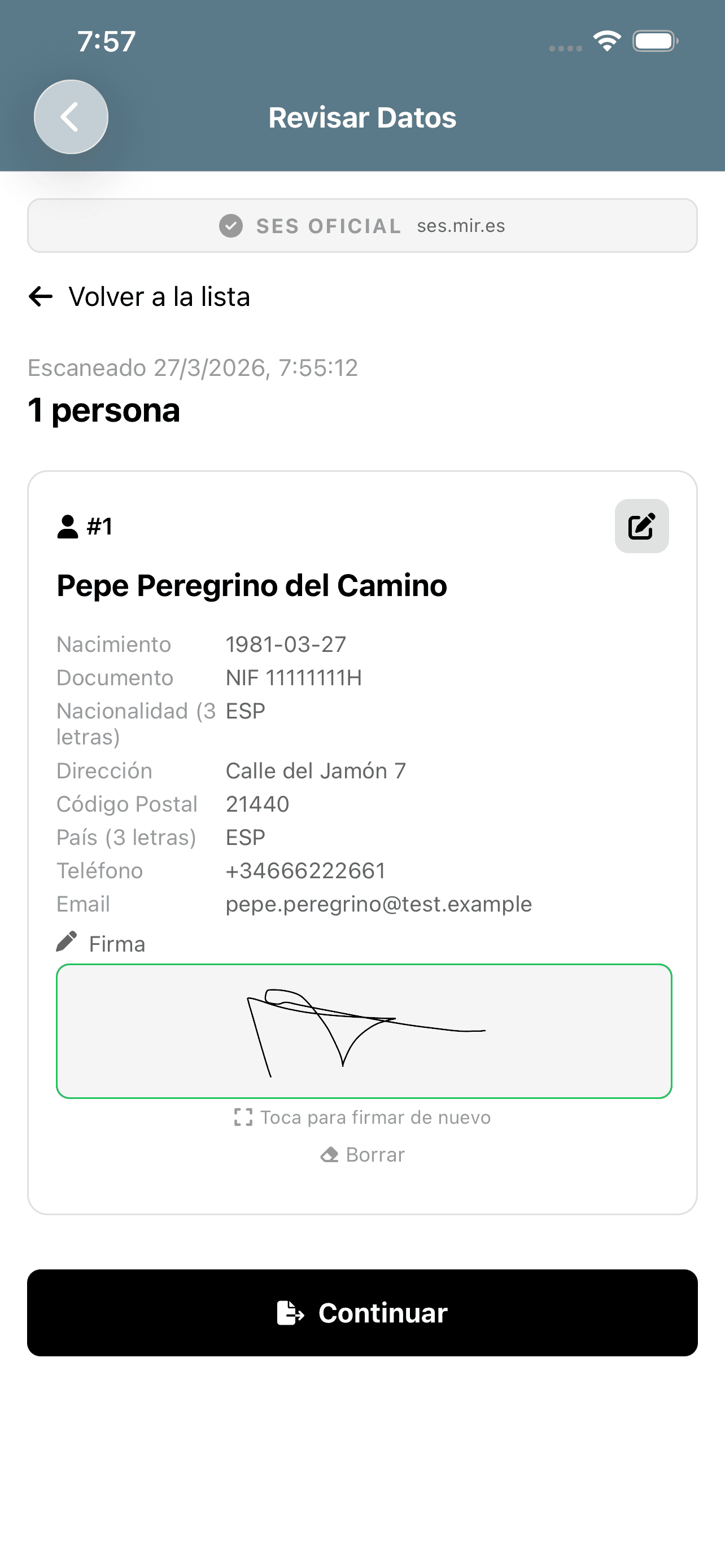
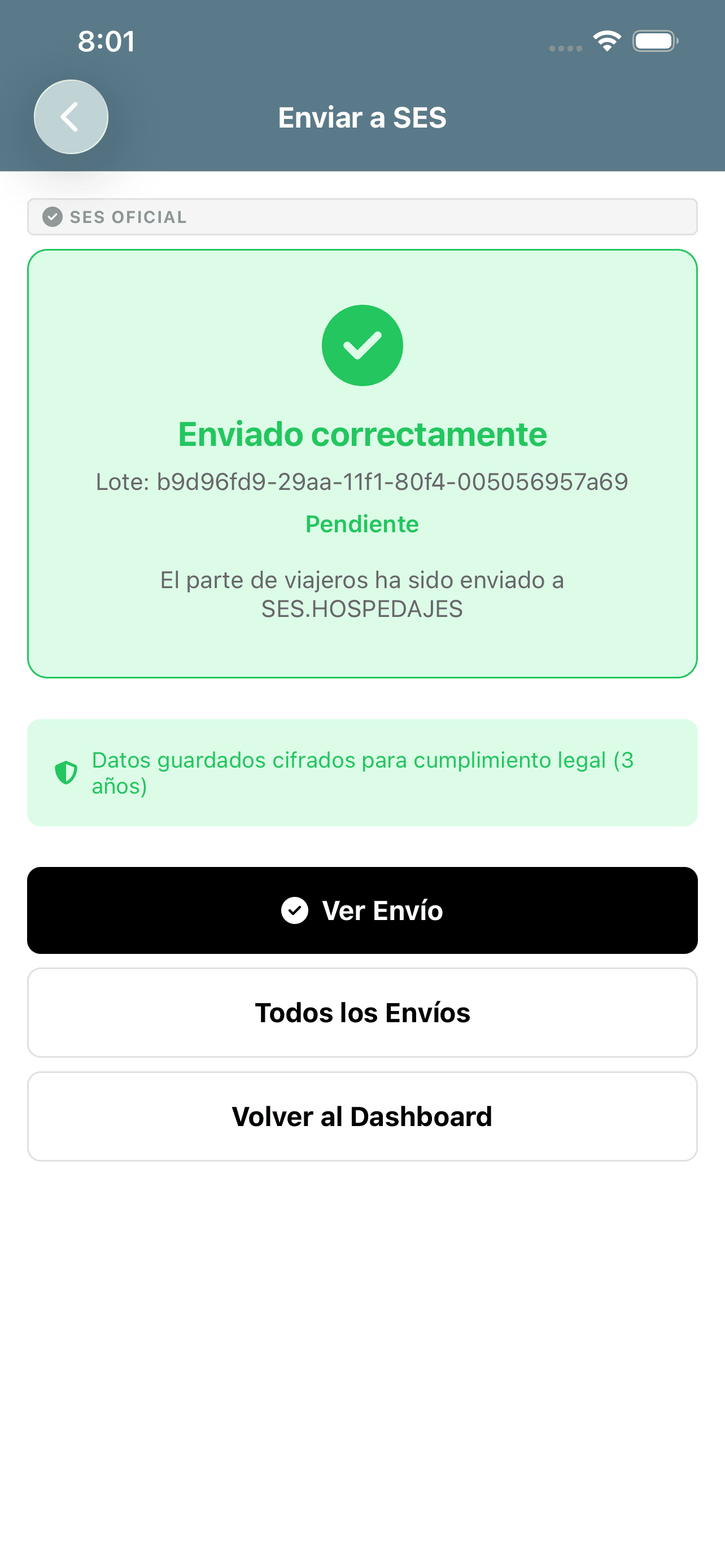
Scan a QR, review the data, and submit to the Ministry. What used to take many minutes now takes less than 30 seconds.

Your credentials, your device

Your SES username and password are stored encrypted on your phone. They never pass through our servers. We don't see them. We don't have them.

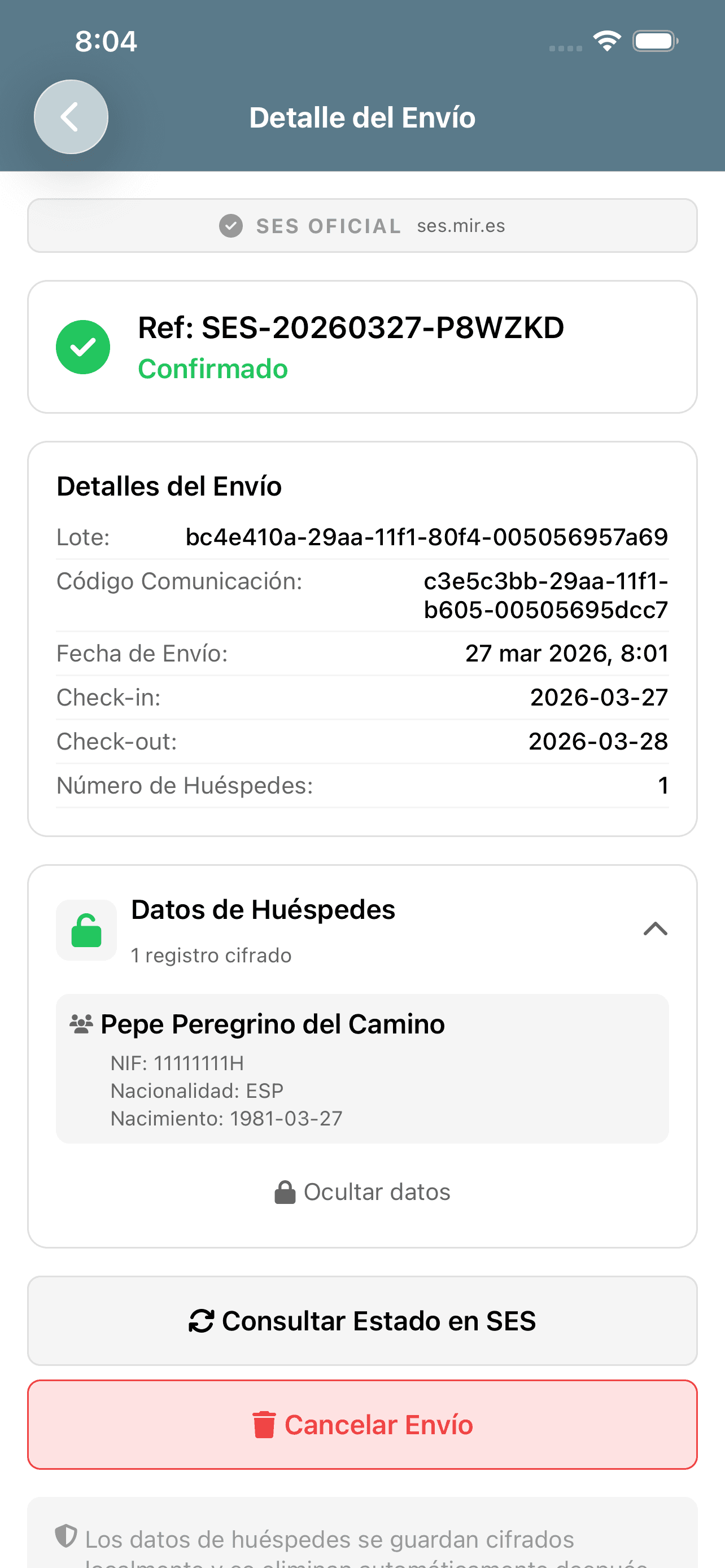
Review and cancel submissions

Check your previous communications and cancel them if you spot an error. You're always in control.

3 years of encrypted records

The law requires keeping guest data for 3 years. Records are encrypted on your device and stored as unreadable blobs on our secure cloud. Automatically deleted when the legal period expires.

One scan for the whole family

Register complete families — partner, children, minors — with a single QR code. No repeating the process for each person.

Free. Really.

No subscriptions, no premium version, no fine print. It's a service for the Camino community.

Reports & statistics

Export anonymized tourism statistics with INE-standard age brackets. Nationality, gender, and demographic breakdowns in Excel or CSV — no personal data, no decryption needed.

Encrypted official export

Export all guest records when requested by authorities. Requires your unique password to decrypt. Use only for official requests.

Screenshot protection

Screenshots of screens displaying personal data are blocked.

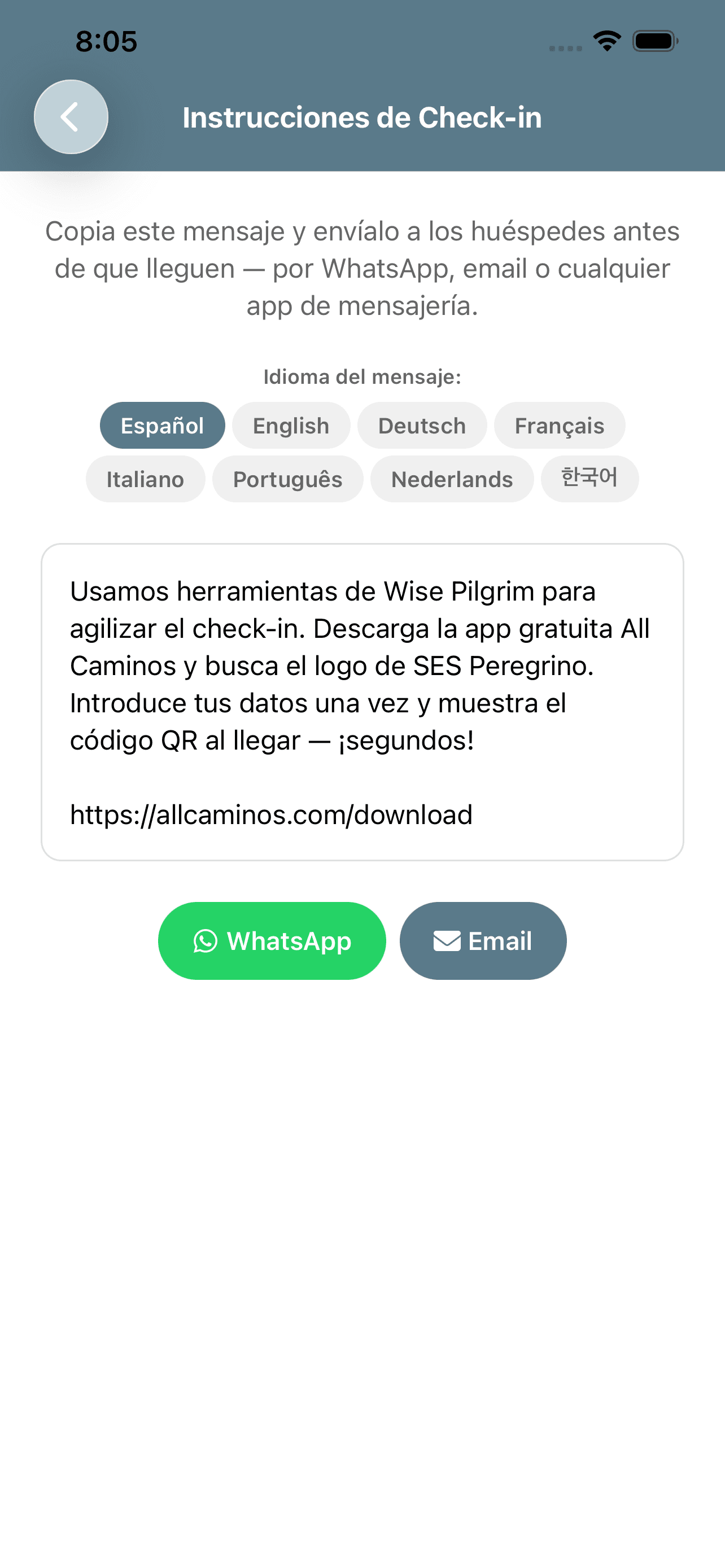
Send check-in instructions to your guests

Copy this message and send it to guests before they arrive — via WhatsApp, email, or any messaging app.

Message language:

We use Wise Pilgrim tools to speed up check-in. Before you arrive, please download the free All Caminos app and look for the SES Peregrino logo on the front page. Enter your details once and show the QR code when you arrive — it takes seconds! Download: https://allcaminos.com/download
SES — Review Data

Get started in 3 steps

1

Download the app

Available on iOS and Android. Under 50 MB.

2

Enter your SES credentials

You need your SES.HOSPEDAJES username and password. If you don't have them yet, follow our Getting Started guide.

Getting Started guide
3

Scan and submit

When a pilgrim arrives with a QR, scan and submit. No QR? Enter the data manually.

3b

Review if needed

Check previous submissions in your history. If something's not right, you can cancel the communication.